Run Pulse for every client from one account.
Standard self-hosted plans cover one Pulse environment. Pulse MSP gives providers a single Pulse Account to run many clients, with an isolated Pulse runtime per client workspace: separate dashboards, alerts, webhooks, users, audit history, and reports. It runs on your infrastructure, and nothing in a client workspace phones home to Pulse.
Two client workspaces free for 60 days. The verified setup guide is the start: no form, card, or approval is required. Paid plans start at $149/mo for 5 clients, about $30 per client per month.
Reading up first? See the multi-client architecture guide and the honest Checkmk comparison.
A runtime per client
Each client workspace is its own isolated Pulse runtime with its own data directory, not a tag filter inside one shared install.
Provider-hosted by default
You run the workspaces on your own infrastructure, next to your clients. Pulse-hosted operation is available by request.
Per-client audit trails
Separate users, audit history, and reports per workspace, so client boundaries hold up under scrutiny.
Every workspace is full Pulse
Client workspaces are not cut-down views. One client runs Proxmox, another runs Docker on Podman hosts, a third runs Kubernetes: each workspace monitors that client's whole stack, with the same Pulse the homelab community runs.
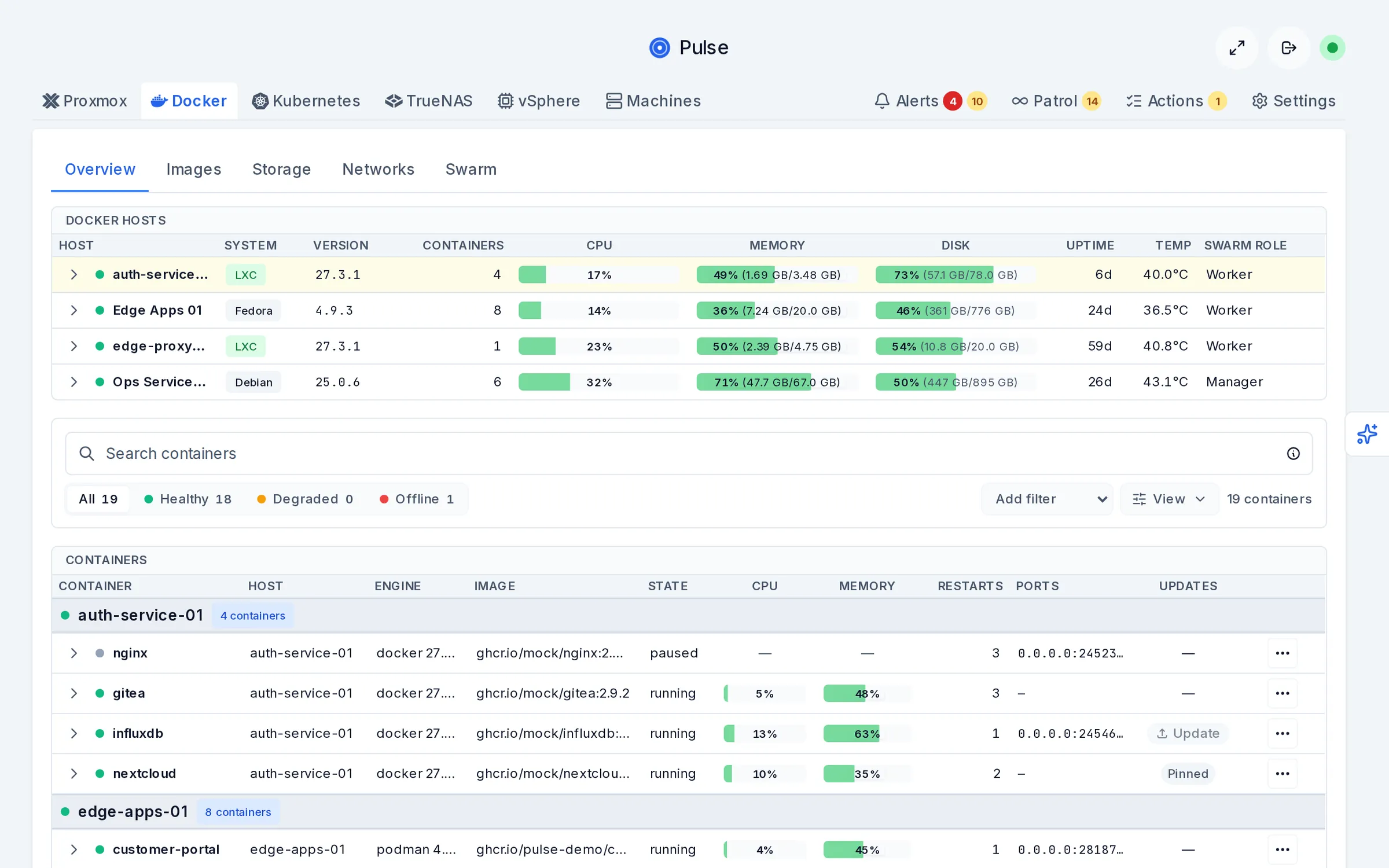
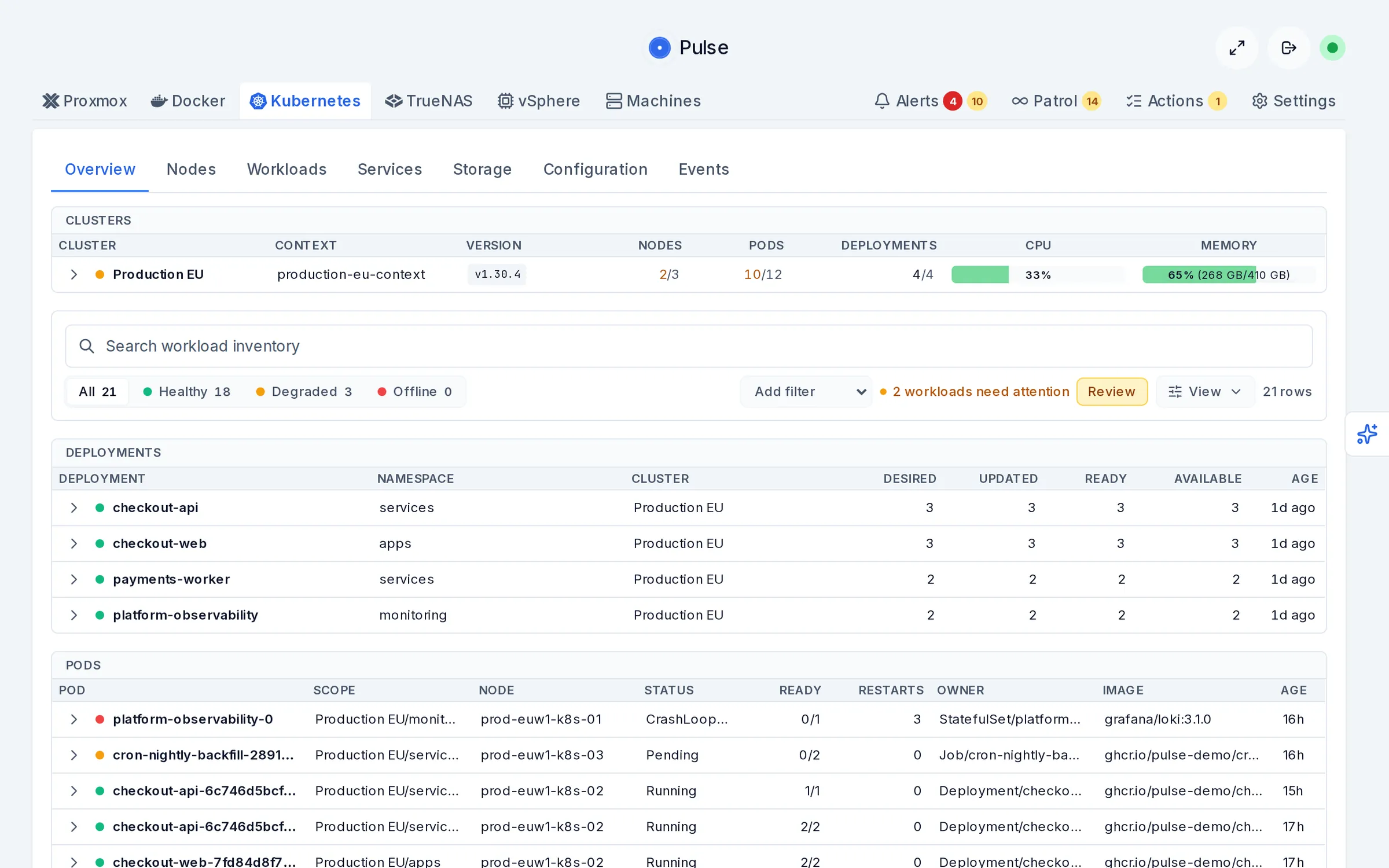
What you run as the provider
Clients get full Pulse; you get the layer above it. Your Pulse Account portal holds the whole client fleet, and every workspace can produce client-ready reports.
One portal for the whole fleet
Your Pulse Account lists every client workspace with its setup status, live alert rollup, and runtime health, and tells you which client to review next. Critical alerts surface at the fleet level, so the morning check is one screen, not ten logins.
- Setup, alerts, and health per client at a glance.
- A repeatable onboarding path for each new client.
- Open any client workspace with one click when something needs attention.
Reports your clients actually see
Every workspace generates scheduled PDF performance reports covering uptime, resource usage, and fleet health over the period, ready to land in a client inbox. With white-label, they carry your name and logo, not ours.
- Per-client scheduled reports from each workspace.
- Uptime and resource trends over 24h, 7d, or 30d periods.
- White-label branding available as a request-assisted add-on.

What you actually deploy
MSP ships as a supported deploy bundle, not a pile of containers you wire together. One Docker Compose stack on one host gives you Traefik ingress with wildcard TLS, a hardened Docker socket proxy, and the control plane that provisions client workspaces.
Day-two operations are part of the product
The things that decide whether a monitoring tool survives contact with a real client fleet are shipped and documented, not left to you.
- Setup that validates its configuration and pulls digest-pinned images before it requests your evaluation license.
- Upgrades that take a backup first, plus restore commands that bring workspaces back from backup or disk.
- An install-proof script that verifies a fresh deployment end to end.
- Portal sign-in by one-time link rather than another password to rotate when staff leave.
Plans
Start on the free evaluation and pay when you outgrow it. Published prices, no discovery call, no custom quote for the standard tiers. Every plan covers unlimited monitored systems inside each client workspace, so you are charged by client, not by endpoint. Annual is two months free.
Free for 60 days, two client workspaces
Start from the verified setup guide. It downloads the signed provider bundle, checks its integrity, and runs the guided setup on your host. The setup issues its own evaluation license, so there is no form, card, or approval between you and the first two client workspaces.
Want setup help?
Leave a work email and I can help if the host, DNS, or first client setup stalls. This is optional and stays separate from anonymous license issuance.
$149/mo or $1,490/yr
Up to 5 client workspaces, provider-hosted. About $30 per client per month.
Request MSP Starter$249/mo or $2,490/yr
Up to 15 client workspaces, provider-hosted. About $17 per client per month.
Request Growth$399/mo or $3,990/yr
Up to 40 client workspaces, provider-hosted. About $10 per client per month.
Request ScaleChoose MSP when
- You want a provider-owned Pulse entitlement across isolated client workspaces.
- Clients need their own dashboards, alert routing, users, and reports.
- You want one commercial relationship covering the whole client fleet.
Stick with self-hosted plans when
- Each customer runs an independent Community installation.
- Each customer owns a separate Relay or Pro subscription for their own environment, with your company providing administration and support.
Contractor administration alone does not require MSP. Read the customer-owned licensing FAQ.
Questions providers ask first
Request MSP Starter, Growth, or Scale
For a third client and beyond. Tell me what you are running and I reply from [email protected], usually the same day, with a direct Stripe checkout link for the published price. No discovery call, no quote to negotiate. The deploy bundle is public either way, so you can be running two clients before you ever contact me, and you get 30 days to decide it was the right call.